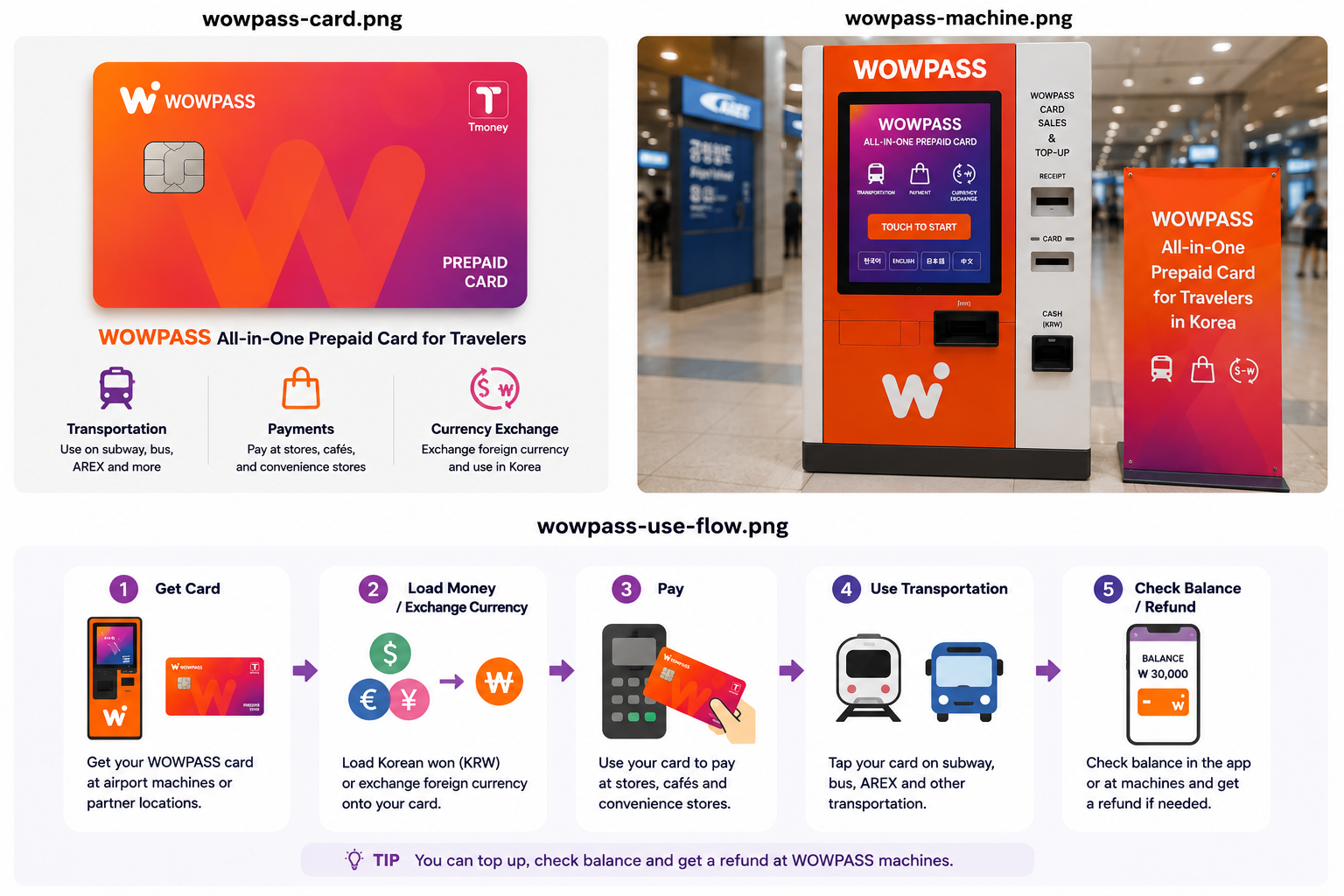
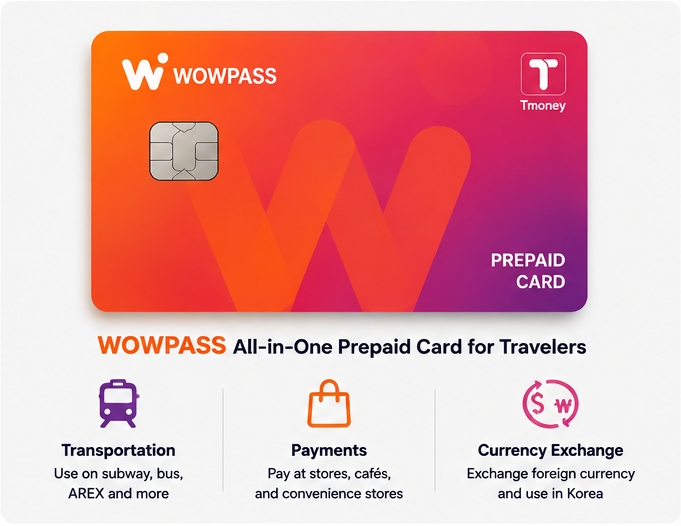
WOWPASS can be useful if you want a Korean prepaid payment card, currency exchange and T-money on one physical card. But the “all-in-one” idea can be misleading: the money you use in shops and the money you use on buses and subways are two separate balances.
If public transport is all you need, a normal T-money card is usually simpler. WOWPASS starts to make more sense when you also want a Korean payment balance, supported foreign-currency top-ups, cash withdrawal or the card-management features in the app.
The payment side and the transportation side share the same piece of plastic, but they do not share the same balance.
What WOWPASS Actually Does
WOWPASS combines several things that foreign visitors often handle separately in Korea.
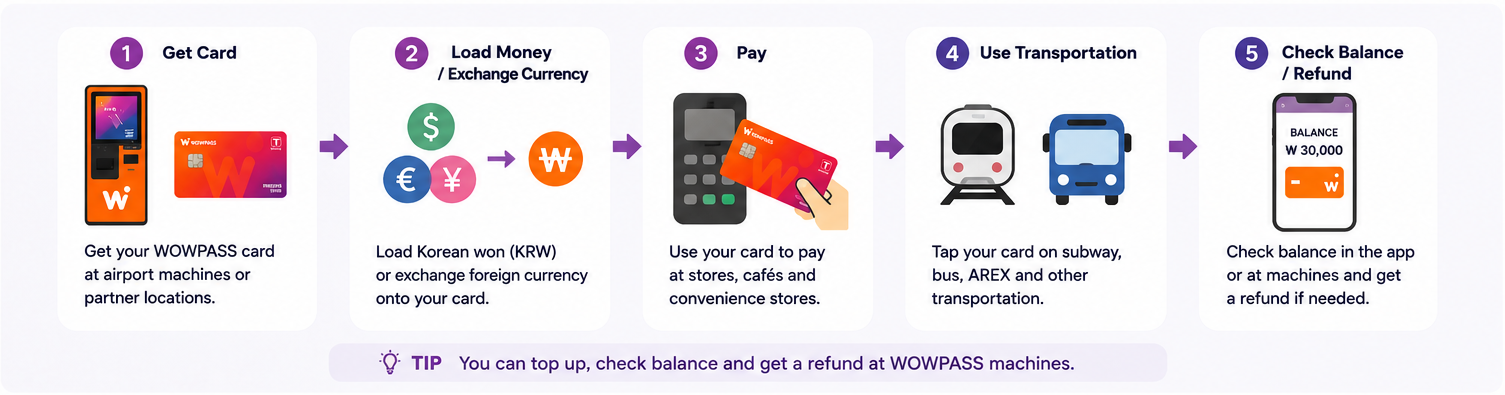
The WOWPASS balance works as a prepaid payment balance for ordinary purchases. The card also contains a T-money transportation function for buses and subways. Foreign cash can be exchanged and loaded through supported WOWPASS machines, while the app supports additional top-up and card-management functions.
That combination is the attraction, but it is also where most of the confusion begins.
The payment side and the transportation side share the same piece of plastic, but they do not share the same balance. Putting ₩50,000 into the WOWPASS payment balance does not give you ₩50,000 of subway credit. The T-money side has to be funded separately.
For a traveler who understands that distinction, WOWPASS is fairly straightforward. For someone expecting one balance to pay for absolutely everything, the first subway gate can be an unpleasant introduction.
One Card, Two Balances
This is the part worth understanding before you put money onto the card.
General purchases use the WOWPASS prepaid balance, while transportation uses the embedded T-money balance.
WOWPASS balance
T-money balance
Main use
Shops, restaurants and other offline card payments
Buses, subways and supported transport
How you pay
Insert the card's IC chip into the payment terminal
Tap the card on the transport reader
How it is funded
WOWPASS machine or supported mobile top-up methods
Separate T-money top-up
Does funding the other balance add money here?
No
No
App support
Balance, transactions and card management
Balance check and current app top-up support
WOWPASS's own guide explicitly separates these two balances. General purchases use the WOWPASS prepaid balance, while transportation uses the embedded T-money balance.
The practical consequence is simple: a successful shop payment tells you nothing about how much subway money is left, and a healthy T-money balance tells you nothing about the payment balance.
If a subway gate says the transportation balance is too low, adding money only to the WOWPASS payment balance will not solve the problem.
Getting a WOWPASS Card
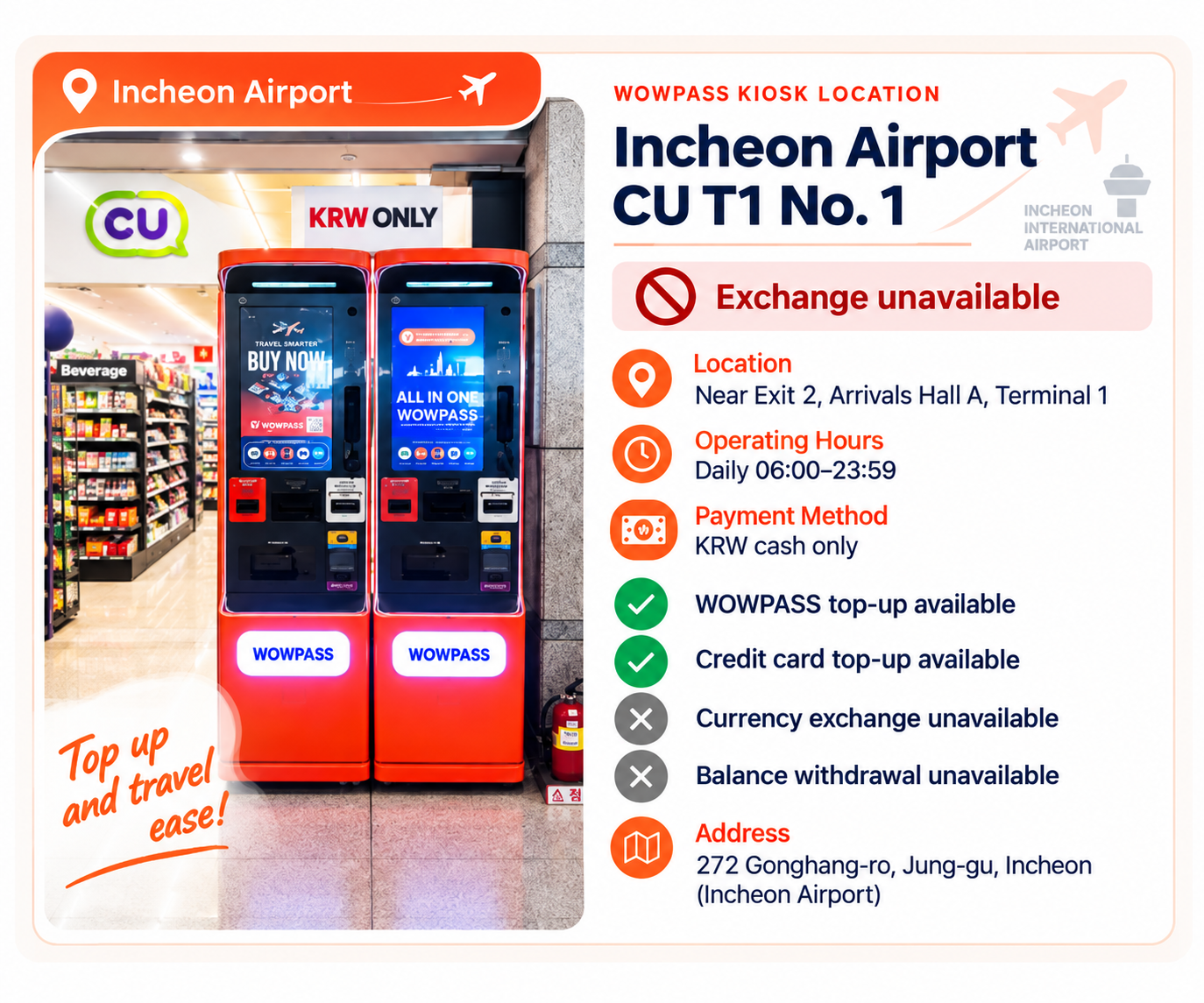
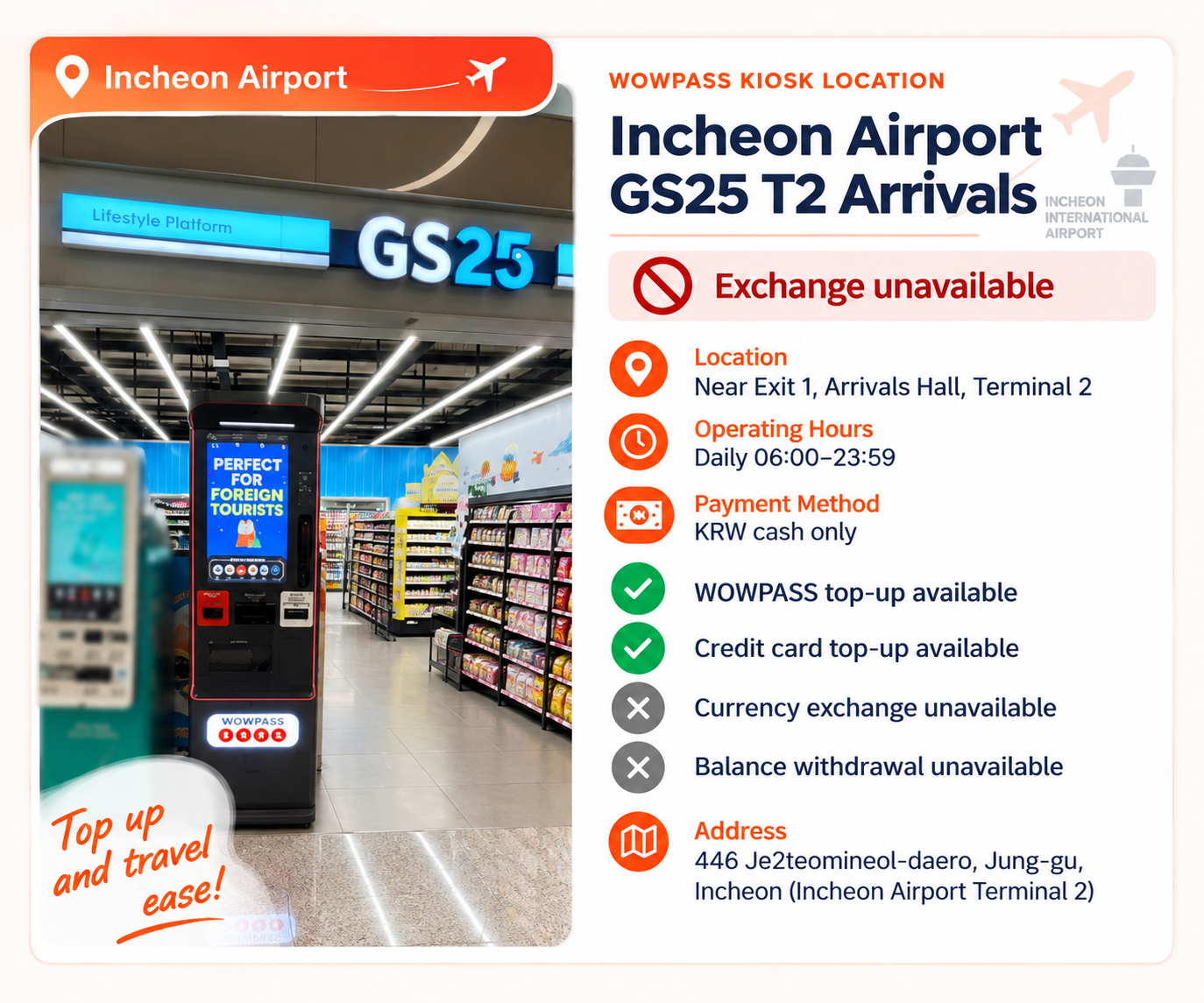
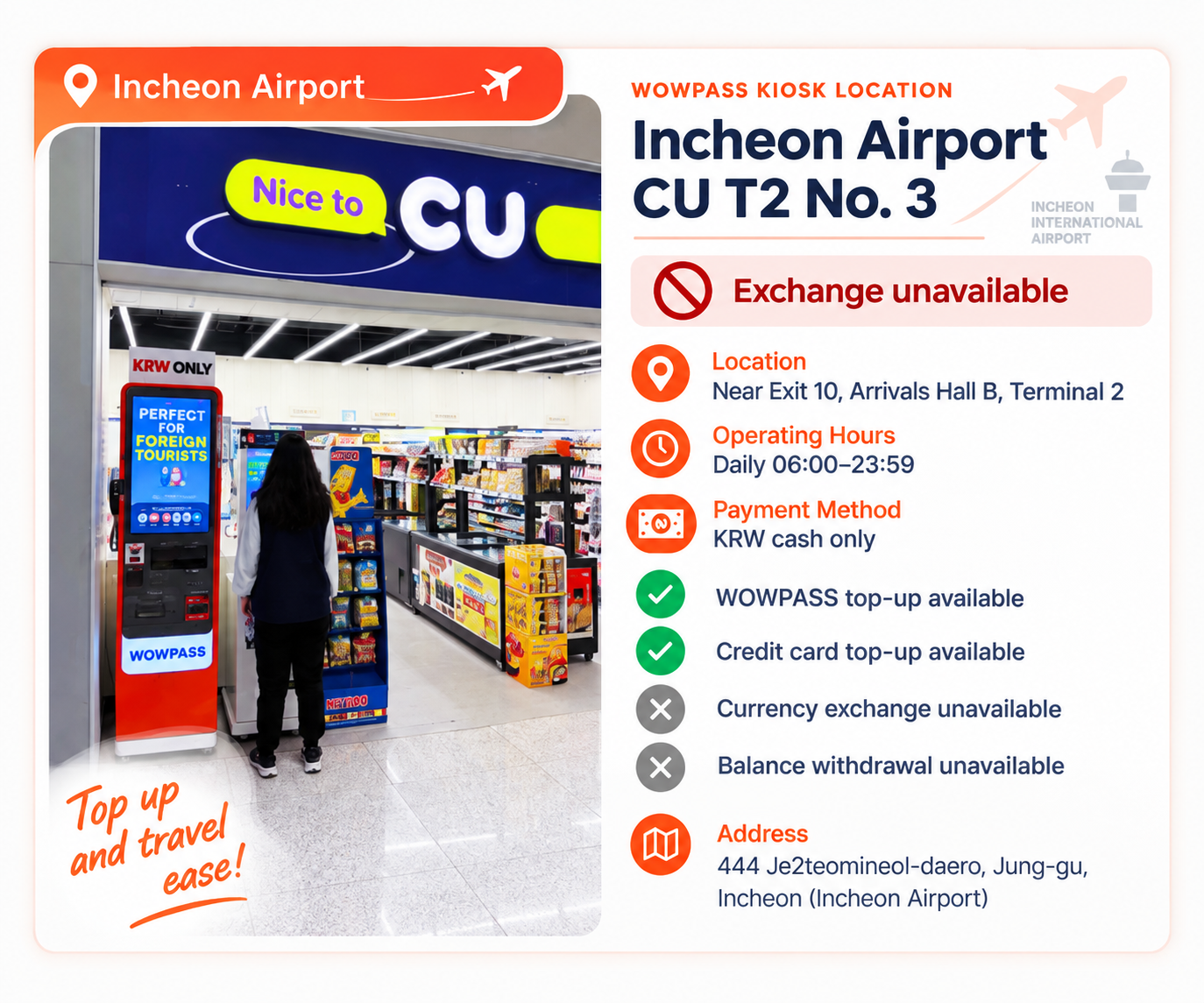
At Incheon Airport, the important point is to follow the exact location shown in your reservation. Some airport convenience-store locations have WOWPASS self-service kiosks, so “airport pickup” does not necessarily mean that a staff member will hand you the card at the store counter.
As of October 5, 2026, the official WOWPASS reservation pages list Airport CU Convenience Stores for Incheon Airport Terminal 1 and Terminal 2. The official kiosk finder also shows WOWPASS kiosks at airport convenience-store locations, including CU and GS25. Kiosk functions vary by location; the three examples below support WOWPASS top-up but do not provide currency exchange or balance withdrawal.
The reservation flow separately lists an Airport SKT Roaming Center option for a WOWPASS + Tmoney + SIM Package and Machine (Pre-booked) collection at subway stations, hotels, convenience stores and other locations. The official pages currently show ₩6,000 as the standard card price and ₩5,500 for the listed discounted card-only reservation options. Prices, promotions, collection methods and kiosk services can change, so check the current reservation details and official kiosk finder before you go.
After receiving the card, register it in the WOWPASS app before loading a large amount. Check which balance you are funding, then add what you expect to use. App registration also becomes important if the card is later lost.
These are examples of WOWPASS kiosks at Incheon Airport. Kiosk functions vary by location; the three locations shown here support WOWPASS top-up but do not provide currency exchange or balance withdrawal. Check the official kiosk finder for the current location and available services.
Loading Money and Exchanging Foreign Currency
There are two different ideas here that are easy to blur together: exchanging foreign cash at a WOWPASS machine and adding value through the app.
WOWPASS currently advertises cash top-up support for 16 currencies. Its mobile top-up service also lists international card and e-wallet support, including Mastercard, JCB and Visa through PayPal on the current official site.
When you use supported foreign cash at a WOWPASS machine, the service converts it to Korean won and adds the resulting value to the WOWPASS payment balance.
Mobile top-up is a different route. You are not feeding foreign banknotes into a machine; you are adding value through a supported international payment method in the app.
This distinction matters when comparing cost. An exchange rate and a top-up fee are not necessarily the same thing. Before loading a large amount, look at the actual KRW amount you will receive and any fee shown for that specific method rather than assuming every way of funding WOWPASS costs the same.
There are two different ideas here that are easy to blur together: exchanging foreign cash at a WOWPASS machine and adding value through the app.
Paying With WOWPASS
For ordinary purchases, WOWPASS works more like a Korean prepaid card than a transportation card.
The official guide says the WOWPASS payment balance can be used at offline merchants in Korea that accept domestic credit or debit card payments, including some places where an overseas card may not work. For those purchases, the official instruction is to insert the card's IC chip into the merchant's card reader.
That is different from getting onto a subway.
At a shop, restaurant or café, you are spending from the WOWPASS balance. On a bus or subway, you tap the card and spend from the separate T-money balance.
This is worth remembering at self-order kiosks too. Seeing a contactless symbol does not mean every WOWPASS transaction should be made by tapping the card as if it were T-money.
WOWPASS's own marketing sometimes uses very broad language about acceptance. For travel planning, a safer rule is to treat it as an offline Korean prepaid payment card, not as a guarantee that every online checkout, foreign website or unusual payment terminal will accept it.
If a merchant payment fails, keep another payment method available rather than repeatedly moving money between balances.
Withdrawing Korean Won
WOWPASS is also able to turn part of the payment balance back into Korean cash through supported WOWPASS machines.
The current official site states a maximum withdrawal of ₩100,000 per transaction with a ₩1,000 fee per withdrawal. It also says withdrawals can be repeated. These are current service terms and should be rechecked before relying on them for a future trip.
The important distinction is that this is WOWPASS balance withdrawal through the WOWPASS system. It is not the same as having a Korean bank account with unrestricted domestic ATM access.
For a traveler who occasionally needs Korean cash, that can be useful. It is less sensible to treat WOWPASS as a substitute for every banking or ATM need during a long stay.
The T-money Inside WOWPASS
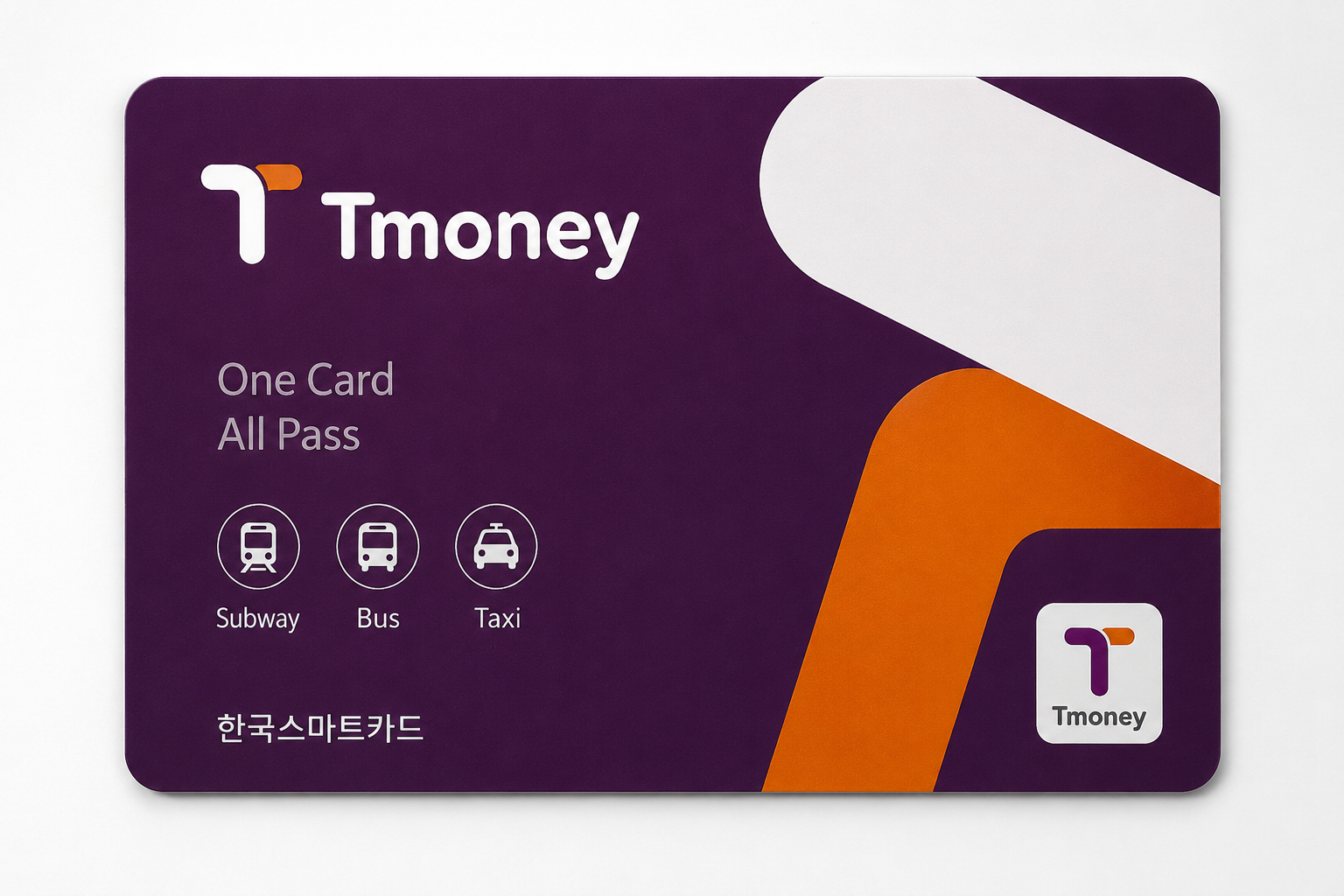
The transportation function built into WOWPASS is genuine T-money.
The official WOWPASS guide says its T-money balance can be used on Korean subways and buses and instructs travelers to tap the card on transport readers. The company also currently promotes transport use beyond rail and buses, including supported taxis.
The important word is balance.
A WOWPASS card in your wallet does not mean the transportation side is funded. The T-money balance must have enough value of its own.
The app can currently show the transportation-card balance and supports topping it up when it runs low.
For travelers using trains and buses every day, this is convenient because a second physical T-money card is normally unnecessary. But the benefit is convenience, not simplification of the underlying balances: you still have to remember which money pays for which part of the trip.
What the WOWPASS App Is Actually Useful For
The app is much more useful in practice than it may first appear.
It can show the WOWPASS payment balance and transaction activity, and the company currently provides real-time payment notifications through the app. It also allows users to view the embedded transportation-card balance and top it up.
The most important feature is less glamorous: card security.
WOWPASS says a lost or stolen card can be paused in the app to protect the WOWPASS balance, after which a replacement card can be issued.
That is a strong reason to register the physical card in the app soon after receiving it rather than waiting until something goes wrong.
The app also currently supports balance transfers between WOWPASS users. That can be convenient for friends travelling together, but it is secondary to the basic functions of monitoring spending, managing the card and protecting the payment balance.
If the Card Is Lost
A missing travel card is annoying. A missing travel card holding a large prepaid balance is more serious.
If your WOWPASS disappears, the first useful action is to open the app and pause the card. WOWPASS currently says this protects the remaining WOWPASS balance and allows a replacement card to be issued.
Do not assume that every component of the card is recovered in exactly the same way. WOWPASS itself treats the prepaid balance and T-money functions separately in its usage guidance, so the current support instructions should be checked for the transportation balance when replacing a lost card.
This is another reason not to load far more money than you expect to use.
Before You Leave Korea
A WOWPASS card can finish a trip with money in two places: the WOWPASS payment balance and the T-money transportation balance.
Those balances should not be treated as one refund.
WOWPASS's official usage guide provides separate functions for WOWPASS balance withdrawal and T-money refund, which reflects the same two-balance structure that applies during the trip.
Before the final airport journey, look at both balances separately.
If you still need the subway or airport transport, leave enough value on the T-money side for that journey. If too much money remains on the WOWPASS payment side, check the current withdrawal instructions before you reach the airport.
Avoid leaving this until the last few minutes before departure. A refund or cash-withdrawal point may not be located where you expect it to be.
Problems That Make WOWPASS Seem More Complicated Than It Is
“I put money on WOWPASS, but the subway says I have insufficient balance.”
The most likely explanation is that you funded the WOWPASS payment balance, not the embedded T-money balance. They are separate. Look at the transportation balance in the app and add value to that side if necessary.
“My reservation shows an airport convenience-store location. Do I pick up the card from the counter?”
Do not assume a staffed counter handover. Some Incheon Airport convenience-store locations have WOWPASS self-service kiosks. Follow the exact instructions attached to your reservation and confirm the current location in the official kiosk finder, because the setup and available functions can differ by location.
“I thought loading foreign cash and topping up in the app were the same thing.”
They both add usable value, but the funding route is different. Supported foreign cash is handled through the machine exchange process; supported international cards or e-wallets can be used through current mobile top-up options.
“The card worked on the subway, but a shop payment failed.”
The subway used the T-money function. The shop used the WOWPASS prepaid function. Check the correct balance first. If the balance is sufficient and the merchant still cannot process the card, use another payment method rather than assuming the transport transaction proves that every retail payment must work.
“I tapped the card at a shop and nothing happened.”
For ordinary WOWPASS purchases, the official instruction is to insert the IC chip into the card reader. Tapping is the transport behavior.
“I lost the card.”
Pause it in the app as soon as possible. WOWPASS currently supports card suspension and replacement for protection of the WOWPASS balance. Then follow the current support process for replacement and check the treatment of the separate T-money balance.
“I am leaving Korea with money still on both balances.”
Treat them separately. The WOWPASS payment side has its own withdrawal process, while T-money has its own refund process. Check both before the final airport trip.
Who WOWPASS Makes Sense For
WOWPASS is most useful when several problems overlap.
A traveler who expects to use public transport, wants a Korean prepaid card for everyday purchases and also wants a convenient way to convert supported foreign cash or add money through the app can get real value from carrying one physical card instead of arranging each part separately.
It can also suit travelers who prefer to place a defined travel budget on a prepaid balance rather than expose their main overseas credit card to every small purchase.
The case is much weaker if your overseas card already works reliably in Korea and you only need a transit card. In that situation, adding WOWPASS means another app, another balance and another card system to understand.
A three-day Seoul visitor who only needs the subway does not automatically benefit from more features.
WOWPASS or a Normal T-money Card?
A normal T-money card does one important job with very little setup: transportation.
WOWPASS puts T-money inside a broader payment product. That can save you from carrying separate payment and transit cards, but the convenience is strongest only if you also intend to use its payment, exchange, withdrawal or app-management functions.
If the decision still comes down to those two cards, see the T-money vs WOWPASS guide for the full comparison rather than repeating the same comparison here.
For travelers who already know they only need public transportation: T-money Guide
WOWPASS FAQ
Is WOWPASS the same as T-money?
No. WOWPASS is a prepaid payment card for foreign visitors that also contains a T-money transportation function. The WOWPASS payment balance and T-money balance are separate.
Can I use WOWPASS on buses and subways?
Yes. The embedded T-money function can be used for Korean public transportation, but the T-money balance must be funded separately from the WOWPASS payment balance.
Do I need another T-money card if I have WOWPASS?
Usually not for ordinary bus and subway use. WOWPASS already contains the T-money transportation function. A separate T-money card may still be simpler if transportation is the only feature you need.
Can I use the money I loaded onto WOWPASS for the subway?
Not automatically. Money in the WOWPASS payment balance and money in the T-money balance are separate. Check the transportation balance before relying on the card for a journey.
Can I use WOWPASS at shops and restaurants?
The official guide says the WOWPASS payment balance can be used at offline merchants in Korea that accept domestic credit or debit card payments. Ordinary payments are made by inserting the card's IC chip.
Can I use WOWPASS for online shopping?
Do not assume that an offline WOWPASS payment automatically means a Korean online checkout will accept it. The official usage guidance is specifically clear about offline merchant payments. For Korean online-payment problems, see the separate Korea Inside online payments guide.
Can I exchange foreign cash with WOWPASS?
WOWPASS currently supports cash top-up in 16 currencies through its service, subject to the current machine and currency rules. Check the exchange amount shown before confirming the transaction.
Can I top up WOWPASS with an overseas card?
WOWPASS currently advertises mobile top-up using international cards and e-wallets, with Mastercard, JCB and Visa through PayPal shown on its official site. Current availability and fees should be checked in the app before loading a large amount.
Can I get WOWPASS at Incheon Airport?
Yes. Current official reservation pages list Airport CU Convenience Stores for Terminal 1 and Terminal 2, and the official kiosk finder shows WOWPASS kiosks at airport convenience-store locations such as CU and GS25. A separate Airport SKT Roaming Center WOWPASS + Tmoney + SIM Package is also listed. Check your reservation and the current kiosk finder for the exact location, collection method and available functions.
How much does the WOWPASS card cost?
As of this October 5, 2026 review, the official reservation pages show ₩6,000 as the standard card price and ₩5,500 for the listed discounted card-only reservation options. Prices and promotions can change.
Can I withdraw Korean cash from WOWPASS?
Yes. The current official site says WOWPASS machines support KRW withdrawals from the card balance, currently up to ₩100,000 per withdrawal with a ₩1,000 withdrawal fee. Recheck the current rule before travel because service conditions can change.
What should I do if I lose the card?
If the card is registered in the app, WOWPASS currently allows it to be paused to protect the WOWPASS balance and provides a replacement-card process. Check the separate T-money balance treatment with the current support instructions.
Is WOWPASS worth it for a short trip?
It can be, but trip length is less important than how you plan to pay. If you want payment, transportation and exchange features together, it may be useful even on a short trip. If you only need buses and subways, a normal T-money card is simpler.
Rates, fees, pickup locations, supported funding methods and service rules can change. For anything involving money or a specific machine, the current WOWPASS app or official site should take priority over an older screenshot or travel post.